Follow up product enquiries
Continue from what the person asked. Answer with approved information, qualify the need and arrange the next step.
Turn a list of accounts into timely conversations and owned next steps. The AI Harness coordinates the audience, playbook, virtual workers, contact checks and replies, so your team can focus on the opportunities and decisions that need them.
Explore campaign planningSet a clear purpose, a relevant audience and a next step worth taking. Use the customer’s context throughout.
Continue from what the person asked. Answer with approved information, qualify the need and arrange the next step.
Use the previous relationship and what has changed. Find new interest or learn why the customer stopped buying.
Follow up the stand conversation. Understand the project, timing and buying roles, then offer a sample, quote or meeting.
Invite, answer questions, remind and follow up. Use recorded responses and attendance where configured.
Coordinate a useful set of meetings around a sales executive’s visit, including contact through assistants.
Also useful for renewals, reorders, price changes, referrals and reminders.
Start from customers, enquiries, event lists, sign-ups, referrals or researched accounts. Combine or exclude lists, remove duplicates and review who remains after contact checks.
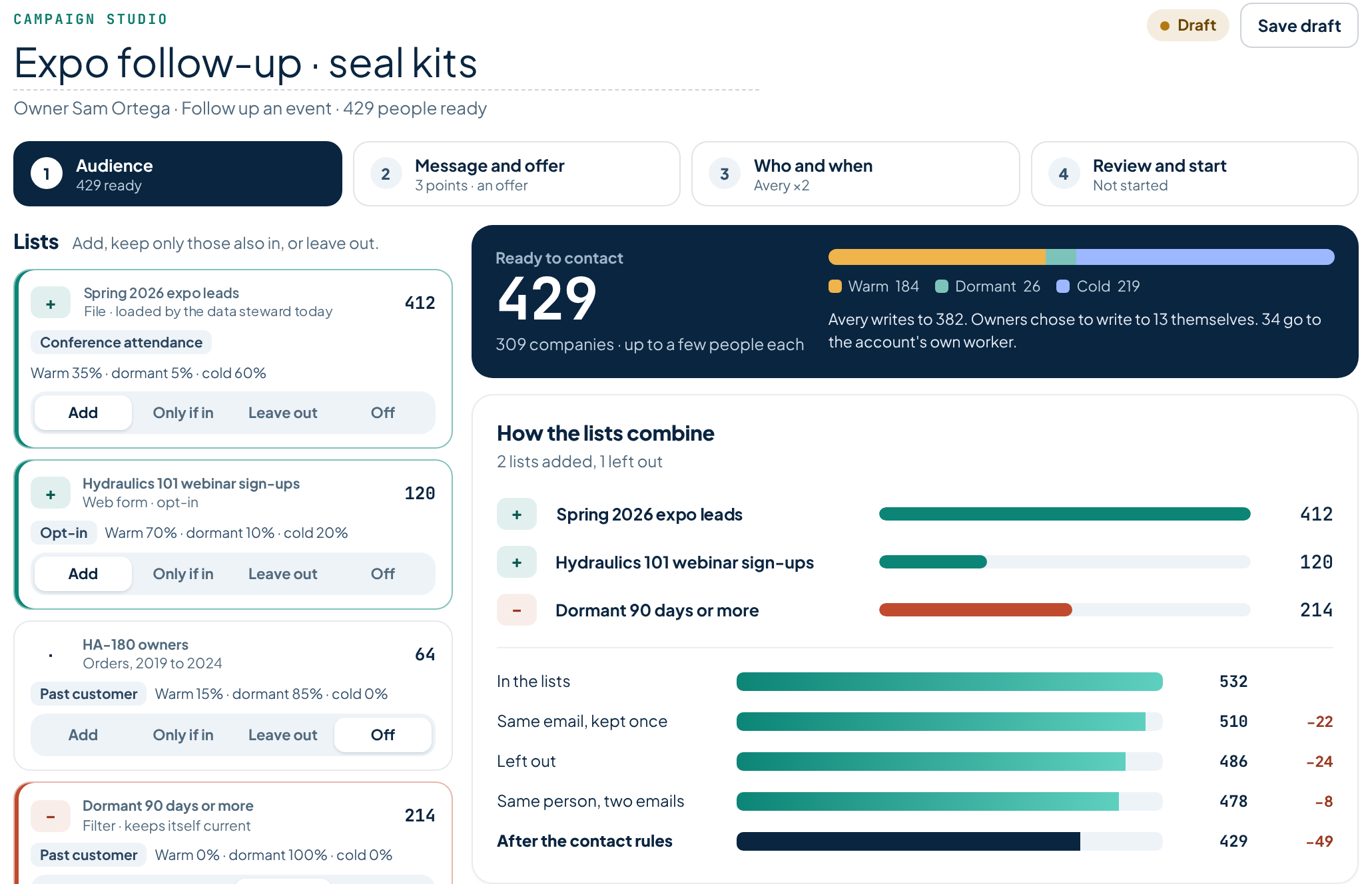
The campaign sets the purpose and points to make. The worker combines them with the person’s record to prepare the right conversation.
Assign each step to the right person or worker. A campaign WhatsApp send step is handled by a person; channel capabilities and permissions determine what can be automated.
Explore country and company controlsThe account’s worker can answer questions, prepare a meeting or raise a request for a person. Reps can guide, join or take over. Stop or change the planned sequence when the response or outcome calls for it.
Illustrative event journey. Registration and attendance steps depend on the configured offering and connected records.
Handle interest, questions, declines and requests to stop appropriately. Give attendees and absentees different follow-up, with the history available to the people who take over.
Follow audience reached, messages sent, replies, meetings and progress against the campaign’s purpose. Keep reported outcomes separate from results confirmed by connected systems.
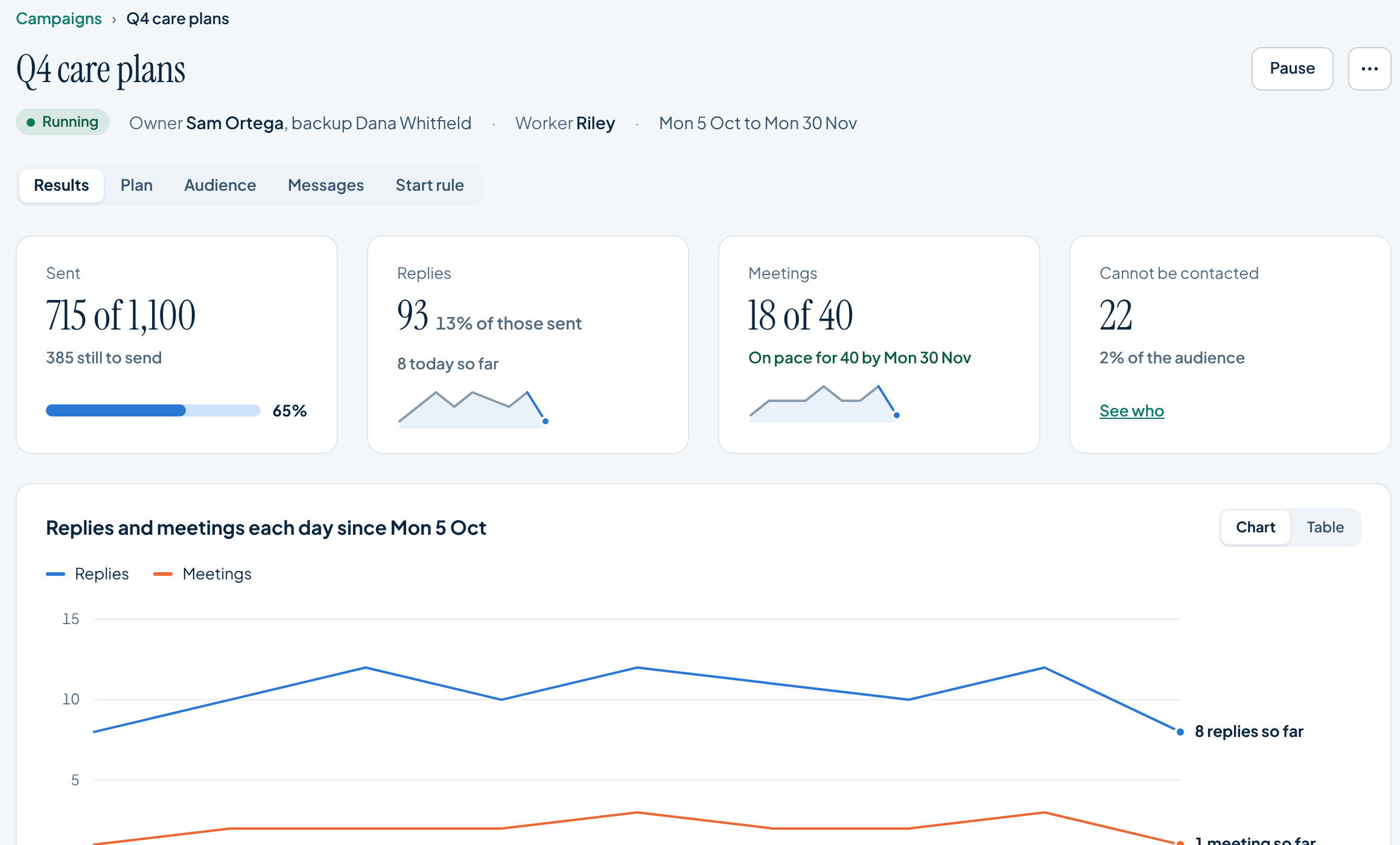
The coordinator helps explain what needs attention and suggests changes. Your team decides what to change, backed by the underlying records.
Reps own personal campaigns. Managers direct team campaigns. Operations supports lists, data and worker capacity. Agencies can deliver the same work within separate client contexts.
Add worker units as demand changes, within the capacity and authority your company sets.
Give workers the audience, sent message and approved offer so they can support the replies and leads from activity run elsewhere.
For agencies, retain each client’s playbook, targets, decision owners and reporting.
Every reply starts with the permitted account context. Corvair Knowledge Substrate supplies underlying conversation memory and library search with citations, so the next step can use the customer’s history and traceable source material.
Explore the audience, playbook, channels and people who own the next step.