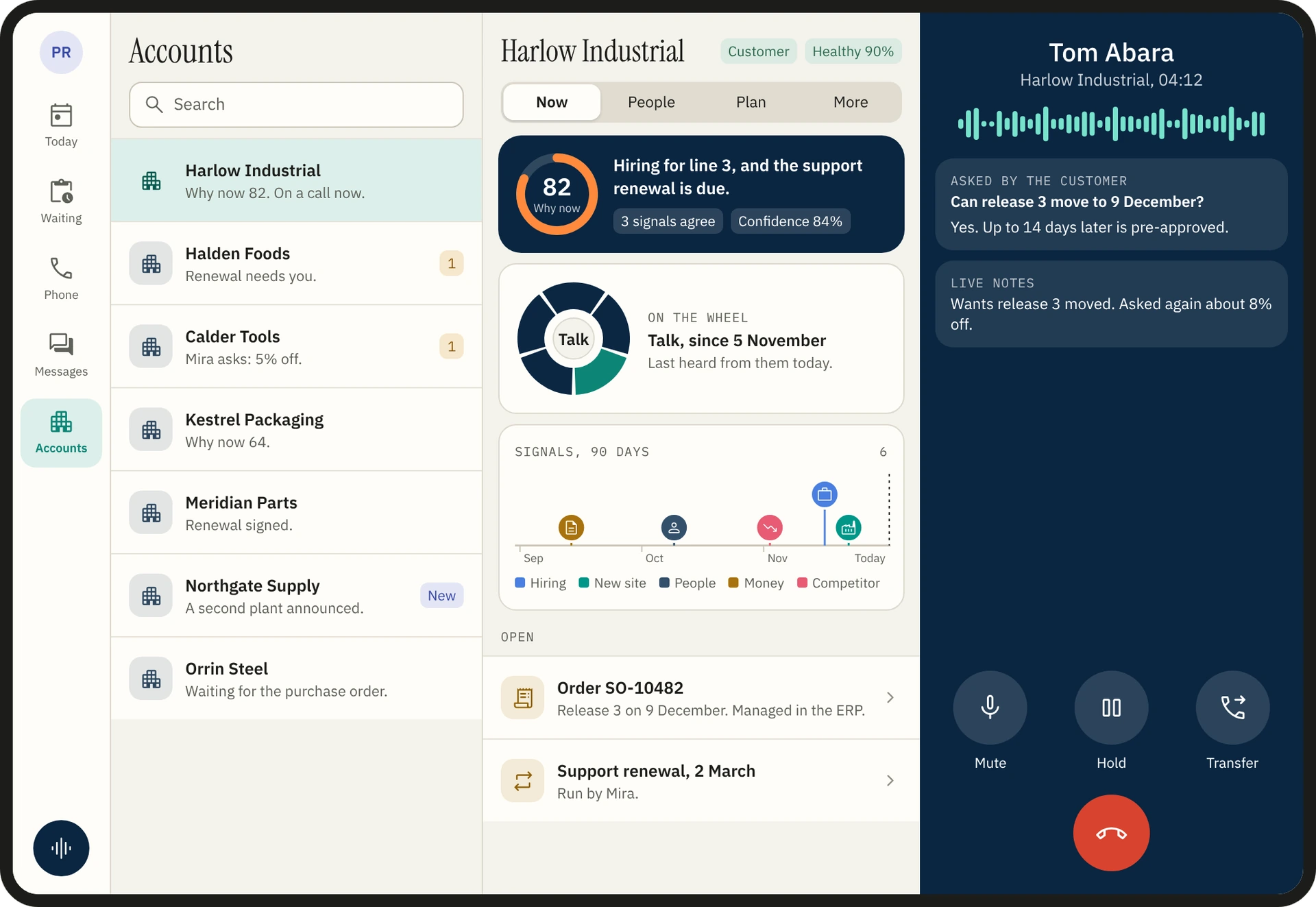
Your desk. In your pocket.
Corvair Virtual Worker runs on a phone and a tablet. Take the call, clear what waits for you, hand work to a worker and see how the day is going, from wherever you are.
Add it to the home screen of an iPhone, an iPad or an Android phone or tablet. Or get it from the App Store and Google Play.
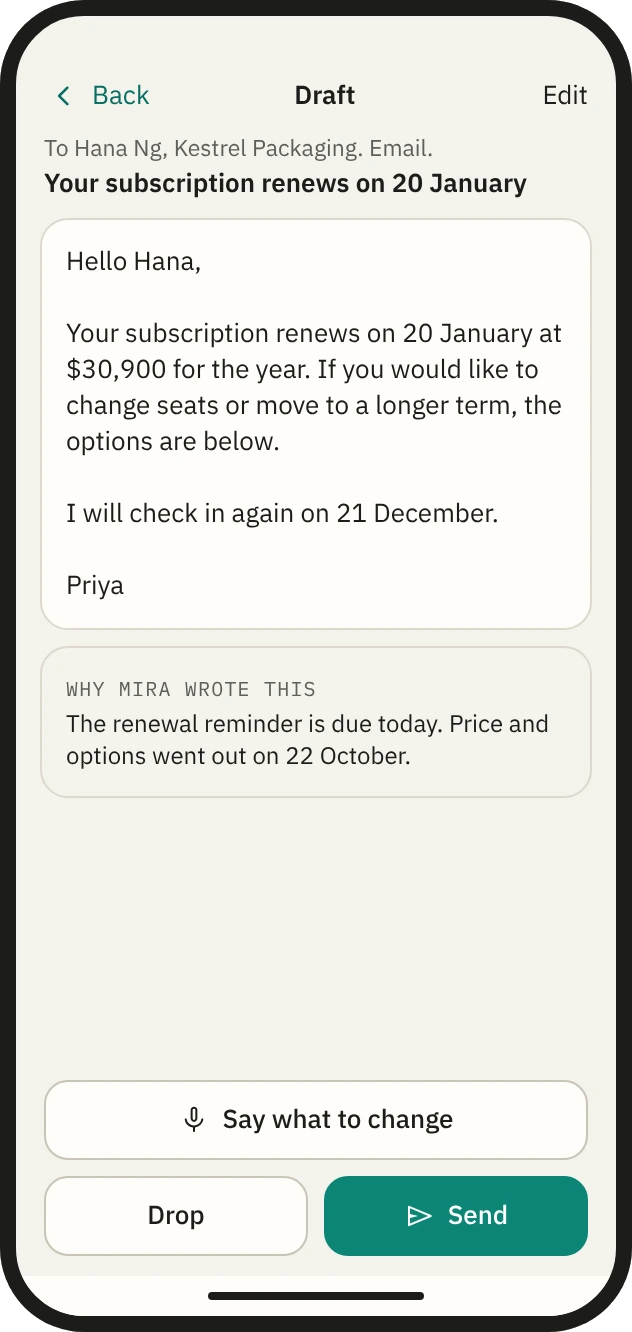
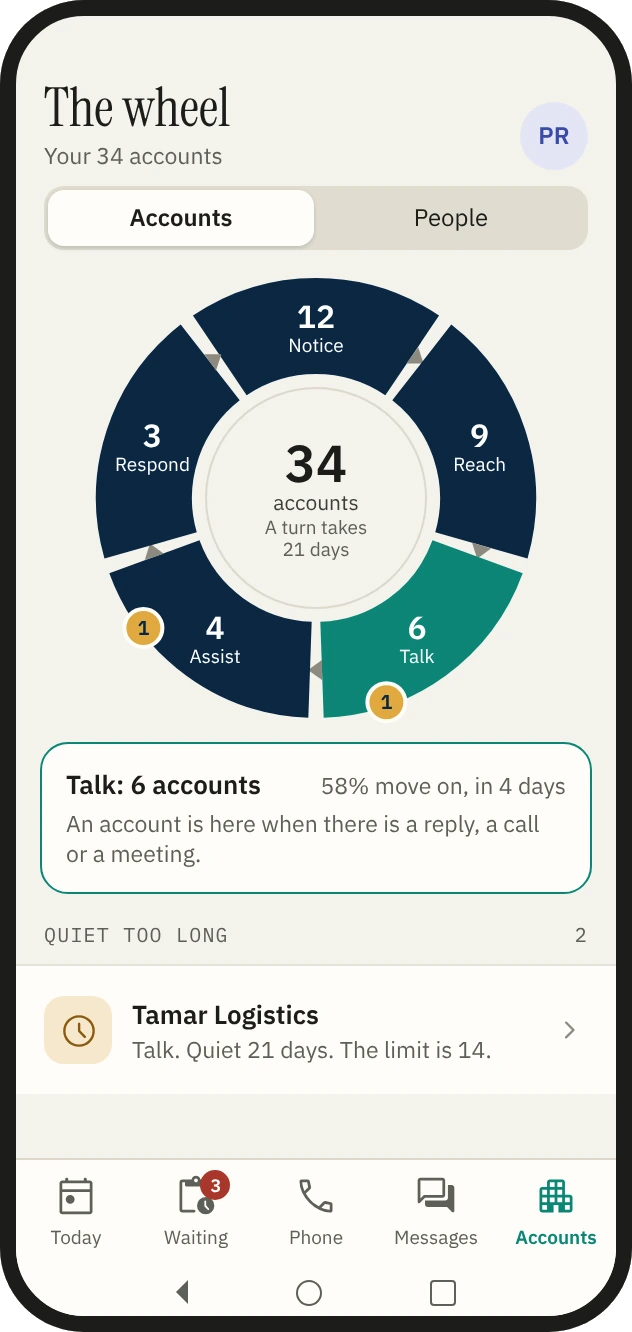
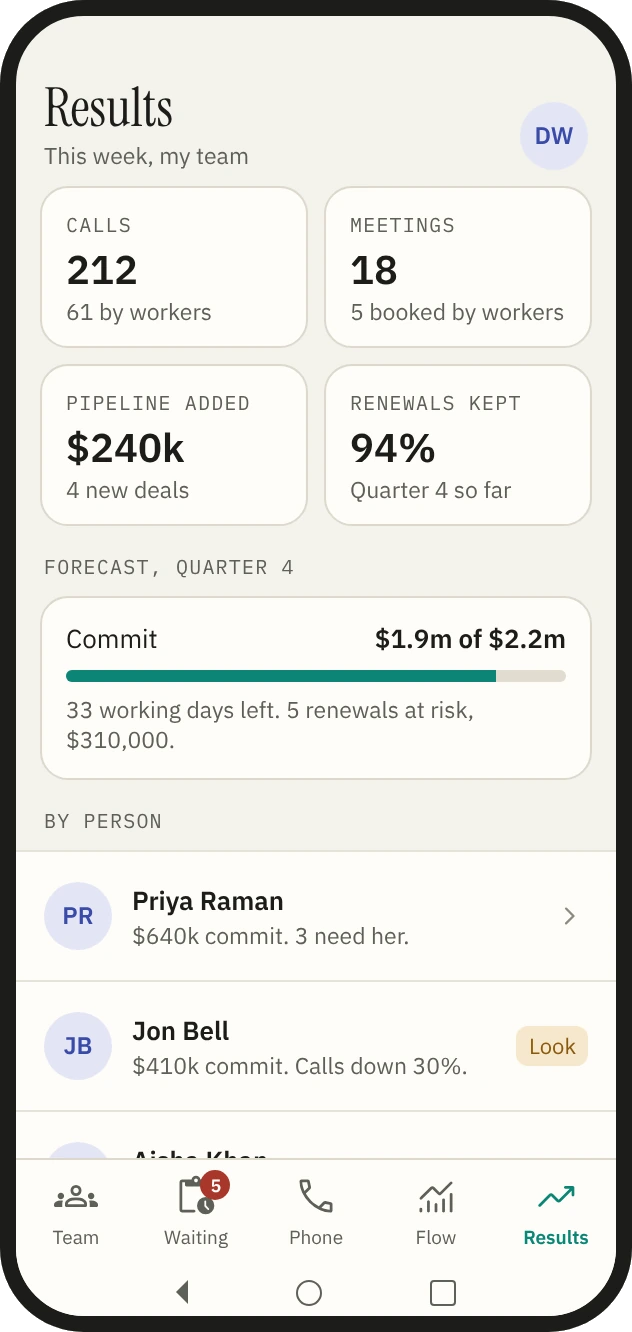
Five tabs. The whole day.
Each role has five tabs, and every other page is in the menu. Each screen is the desk’s own page at phone width, so nothing is kept only on the phone.
| First tab | Second tab | Third tab | Fourth tab | Fifth tab | |
|---|---|---|---|---|---|
| A rep | Today | Waiting | Phone | Messages | Accounts |
| A manager | Team | Waiting | Phone | Flow | Results |
| Operations | Workers | Asks | Phone | Review | System |
A rep’s day. From the first call to the last.
The desk ranks the day and lays it out around when your contacts answer. The phone shows the same day as pictures.
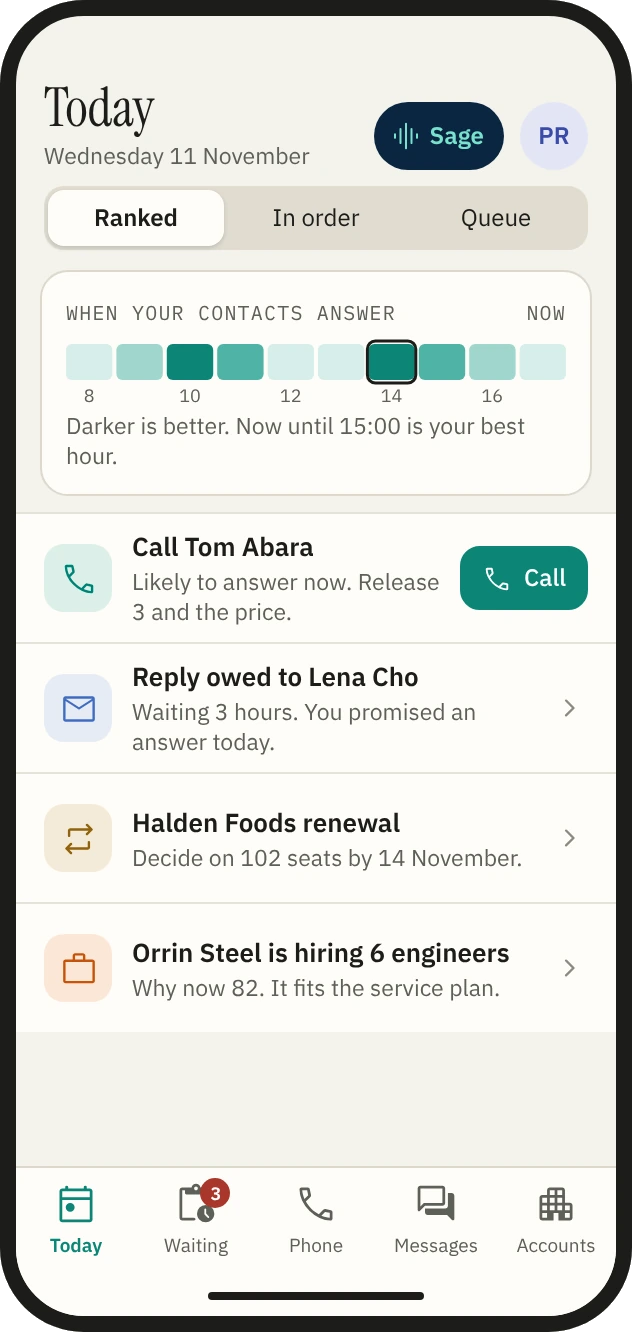
08:30
Know what to do next.
The hours your contacts answer sit at the top.
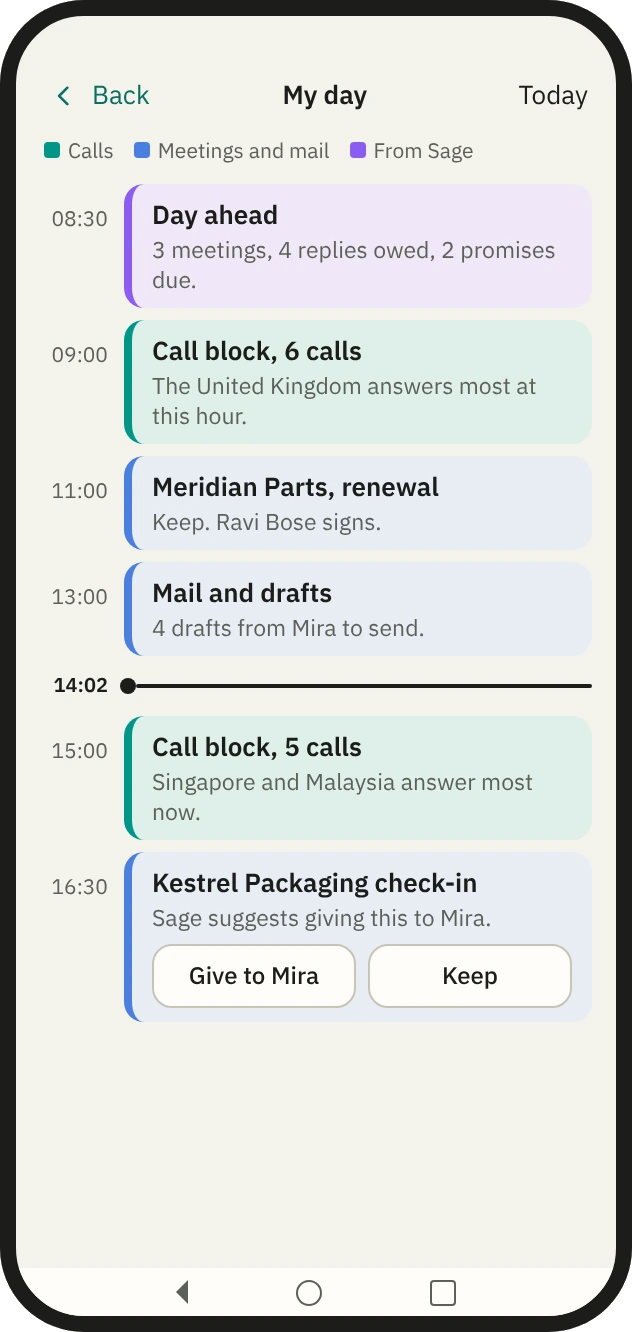
09:00
See the day in blocks.
Call blocks sit where your contacts pick up.
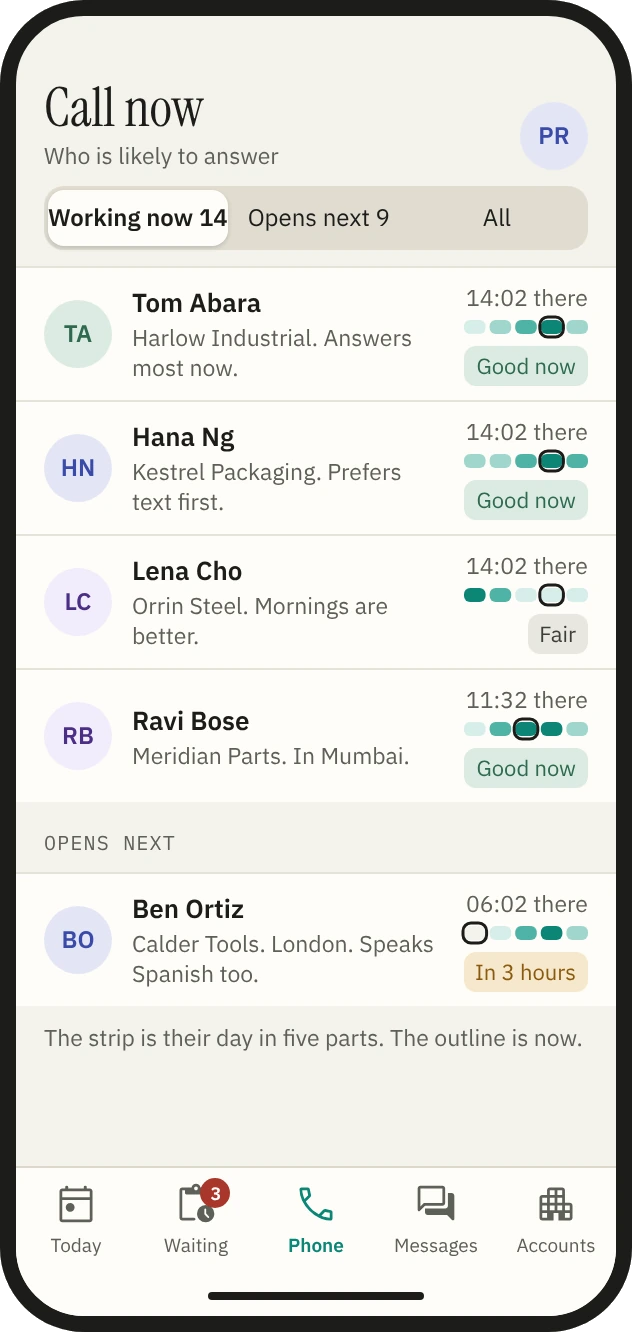
14:00
Call who will answer.
Each contact shows their local time and when they answer: good now, fair, or in three hours.
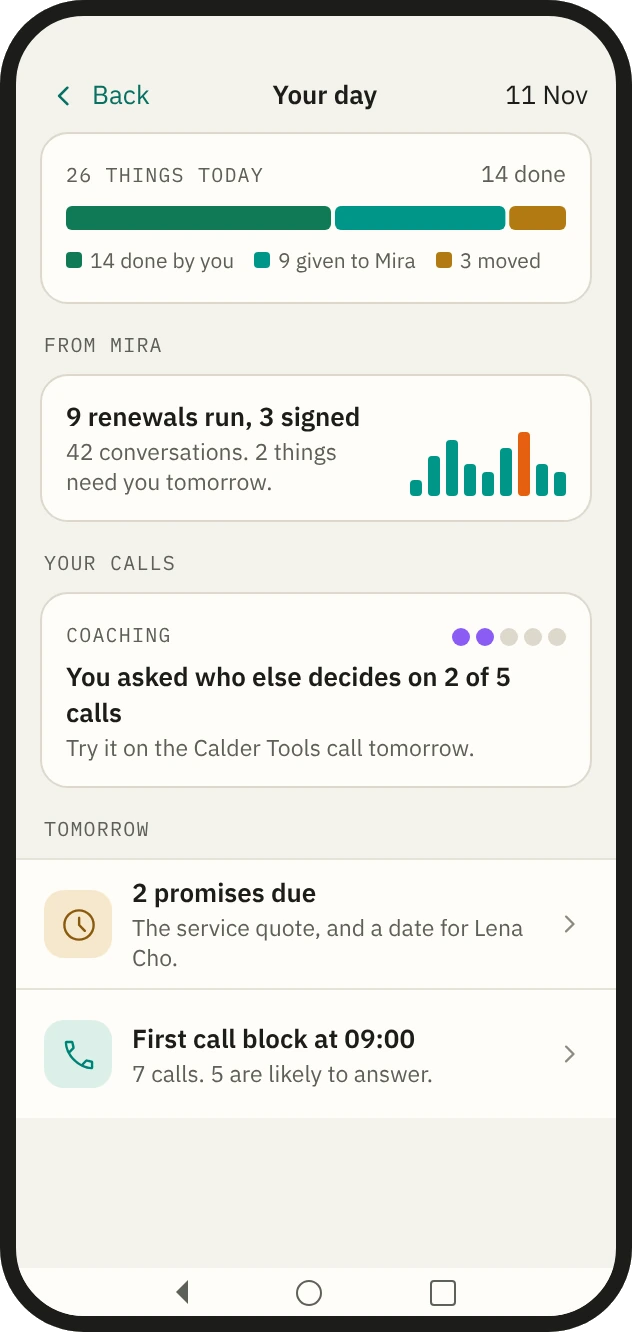
17:30
Close the day.
What you did, what your worker did and what moved, in one bar.
Take the call. Keep the context.
A call to you rings the desk and the phone together. Everything the desk shows beside a call is one pull away on the phone.
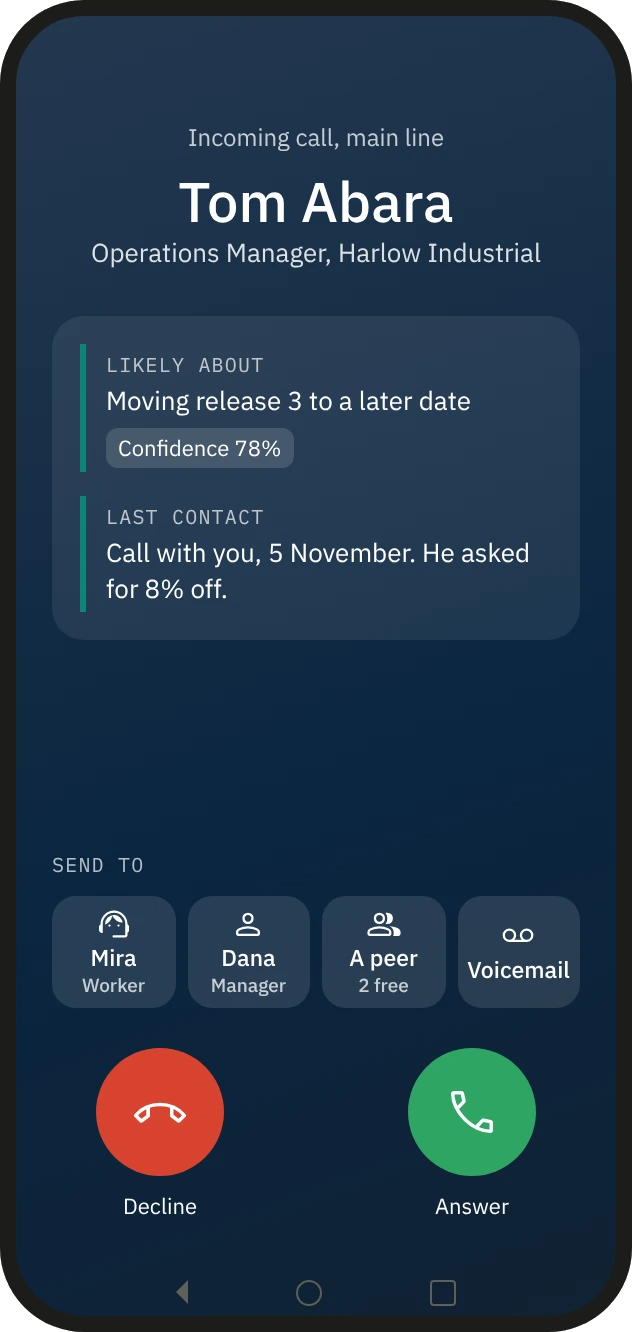
It rings
Before you answer.
It rings like a phone call, with the phone locked.
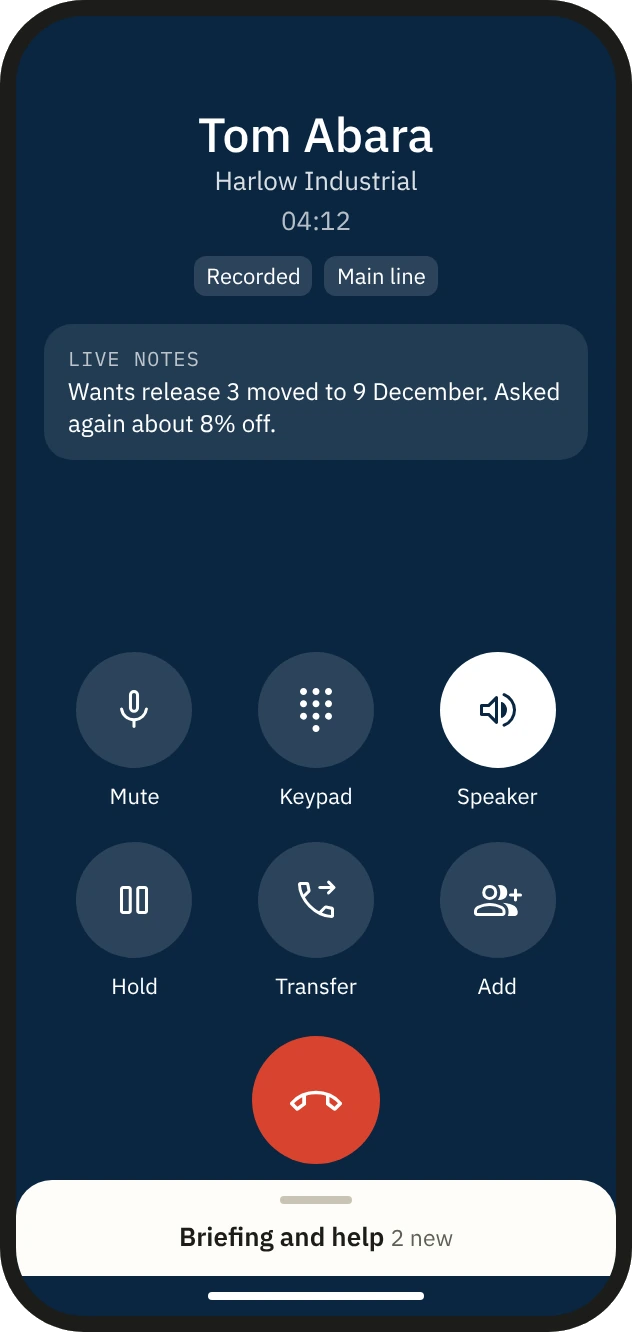
You answer
The controls a thumb can reach.
Mute, keypad, speaker, hold, transfer and add.
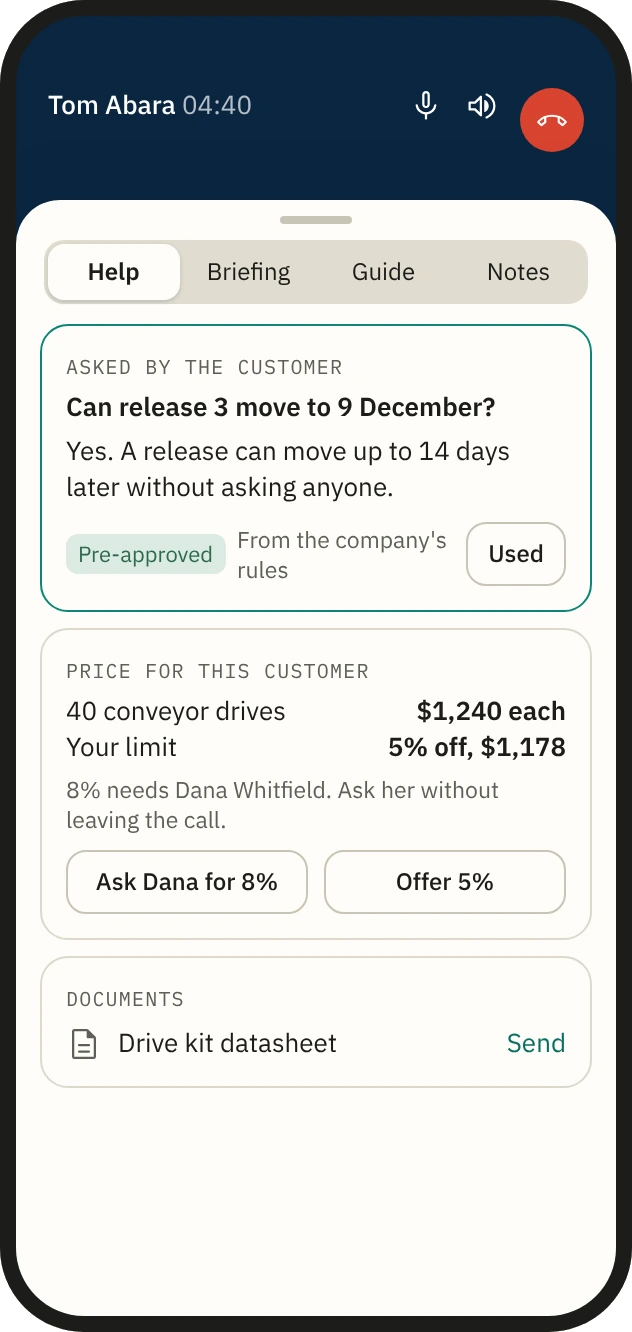
The customer asks
Help beside the call.
The checked answer to what the customer just asked, with your limit and a one-tap ask to your manager.
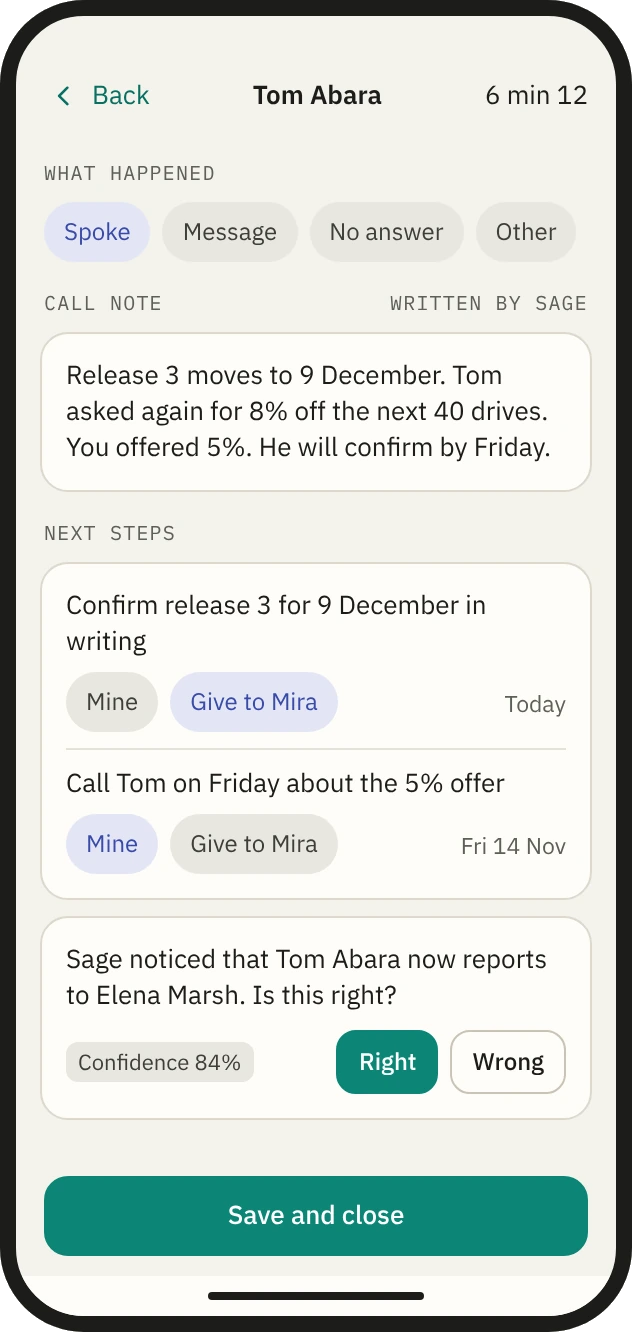
You hang up
The wrap-up.
One tap for the outcome.
Clear what waits. In one tap.
Waiting is your inbox of decisions. Requests and urgent notices arrive as notifications, and open where they are answered.
- An ask from a worker.The customer’s words, the limits and the choices on one screen.
- A draft to send.Read it, send it, drop it, or say what to change and it is rewritten.
- Work to give away.Any task can go to a worker as “Draft for me” or “Do it”, inside your own limits.
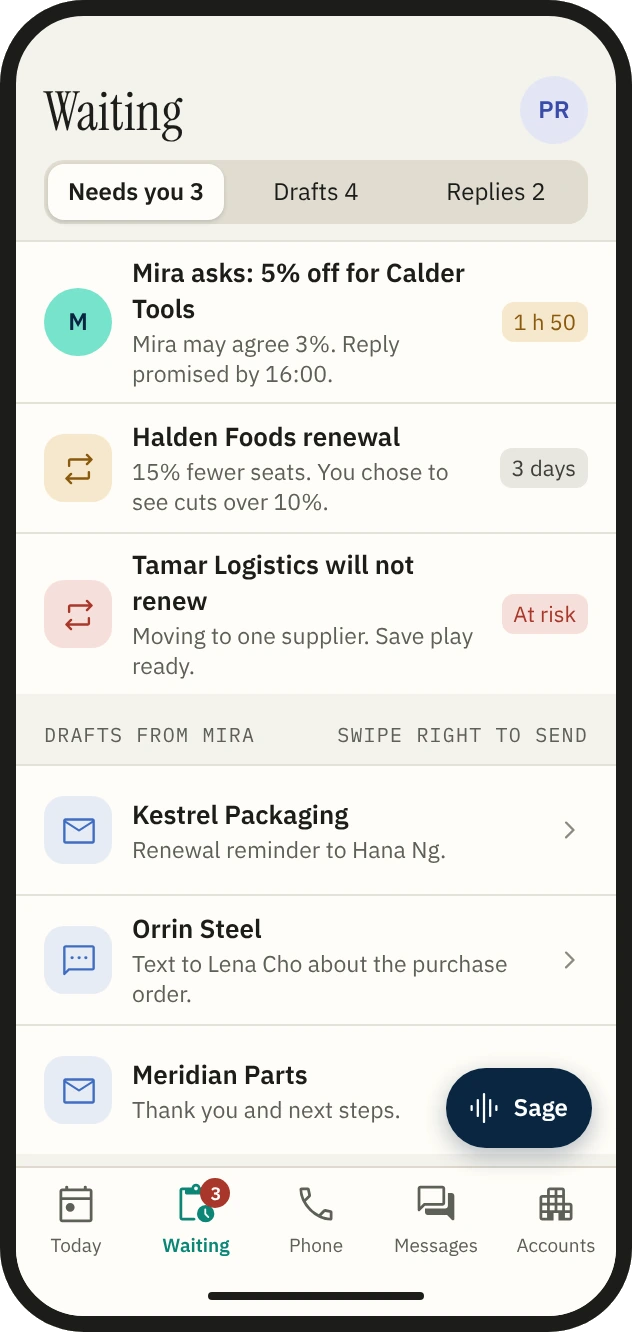
What needs you.
Then drafts and replies.
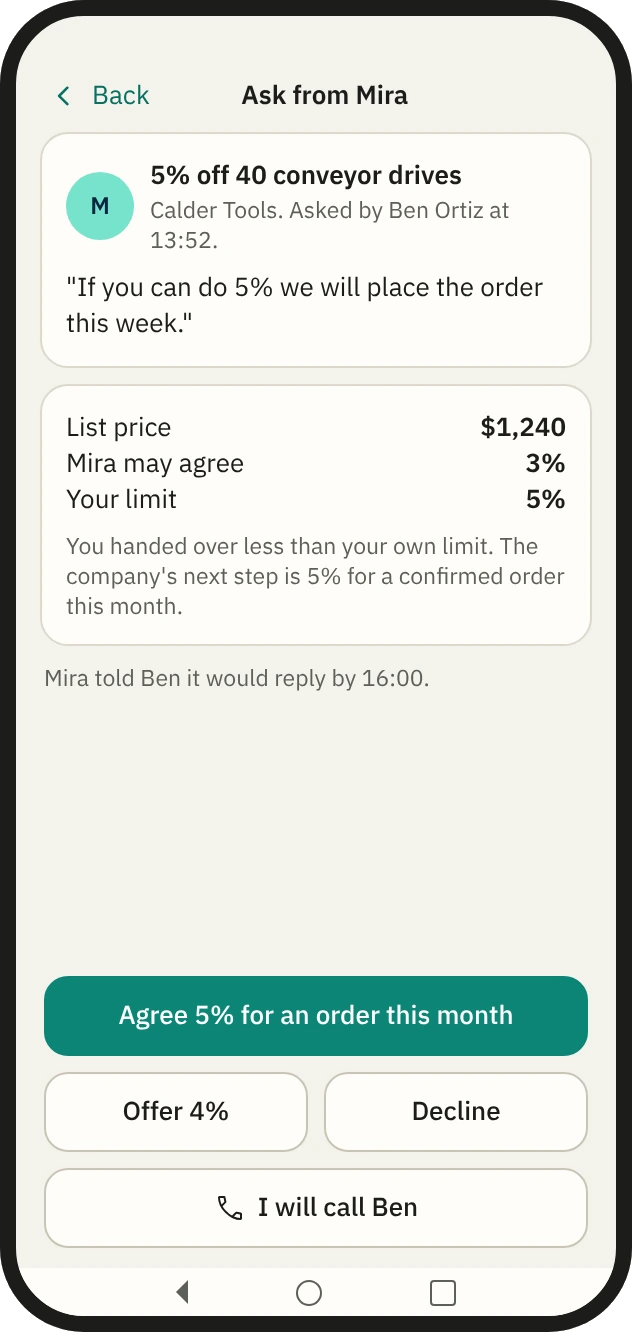
One screen, one decision.
Agree, offer less, decline, or call the customer yourself.
A manager. The team, live.
See the team now, listen to a live call, and clear requests and sign-offs. Results and the forecast are a glance, with the detail left on the desk.
- Listen, whisper, join.Hold to whisper to the rep or the worker, join the call, or send a message they see beside it.
- Sign-offs with their figures.Asks from reps and workers, period-end overrides and warning flags, each cleared in one tap.
- The week at a glance.The forecast and each person.
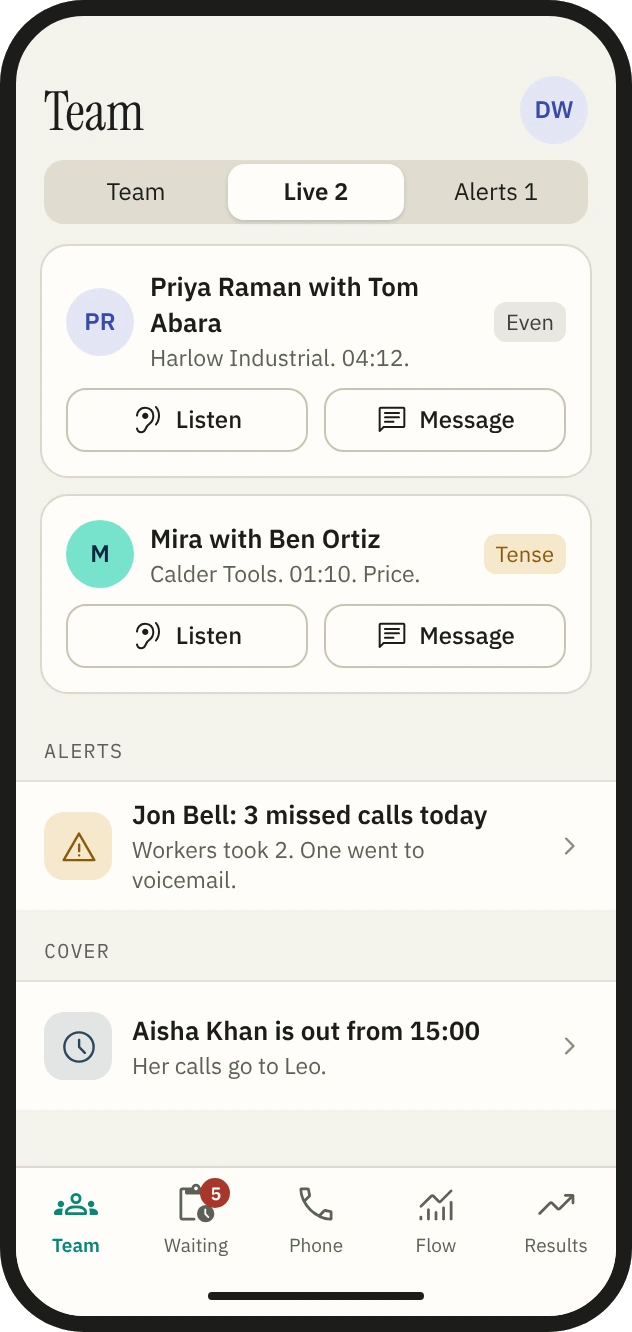
Who is on a call.
Reps and workers, with the mood of each call.
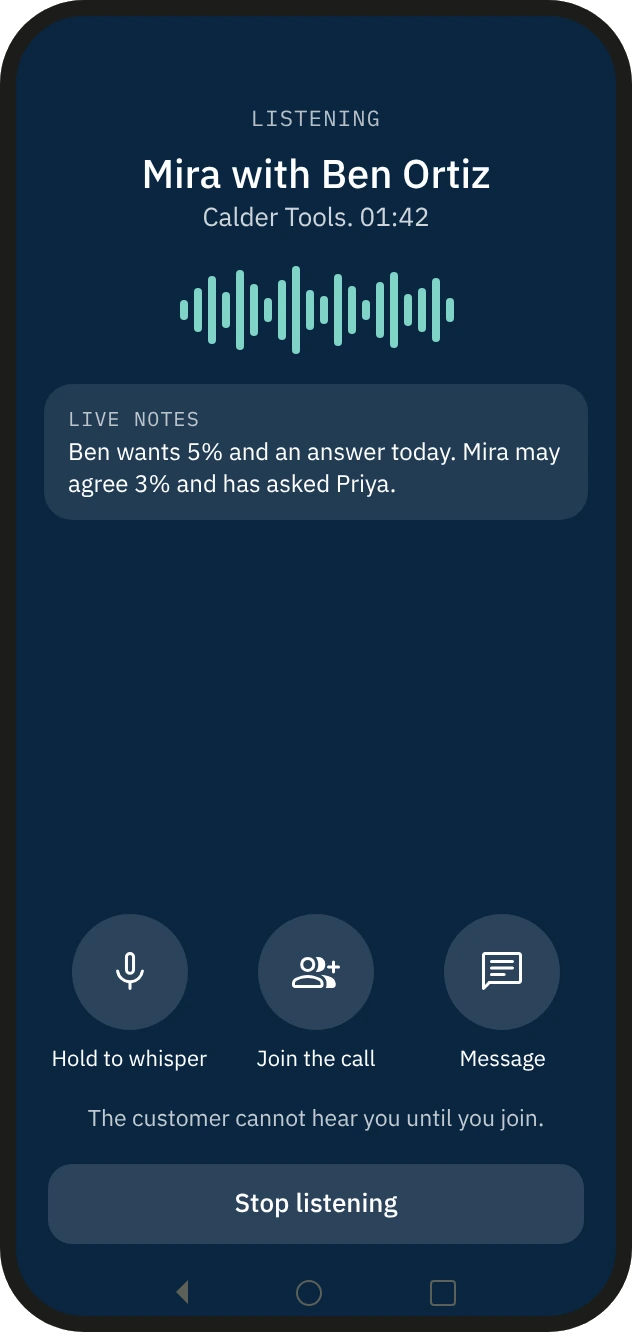
Listening in.
The customer cannot hear you until you join.
Operations. Every worker in hand.
Each worker has a switch and a stop. Asks, warning flags and reviews are cleared from the phone.
- Right or wrong.Where Corvair is unsure it asks, with its confidence.
- One conversation at a time.Review a call with what was noticed, and play the sound from that point.
- What the workers depend on.Connected systems, phone lines, background work and the day’s spend, with one button to stop all workers.
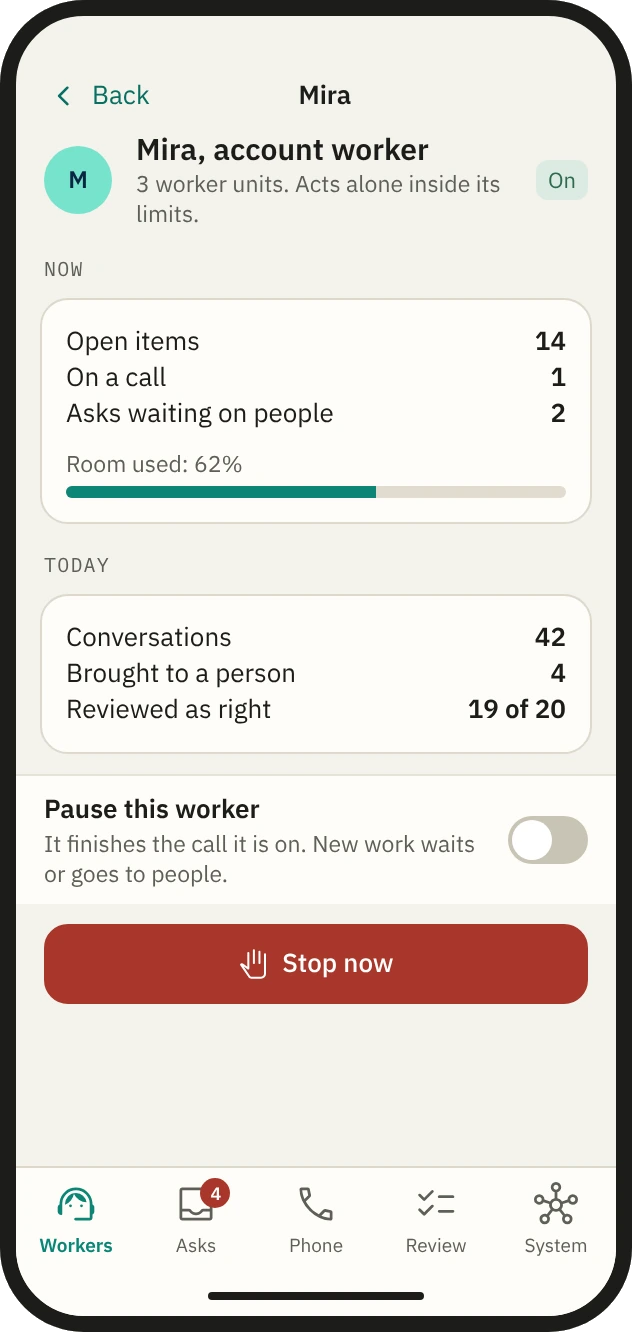
One worker.
What it is doing, how full it is, with Pause and Stop.
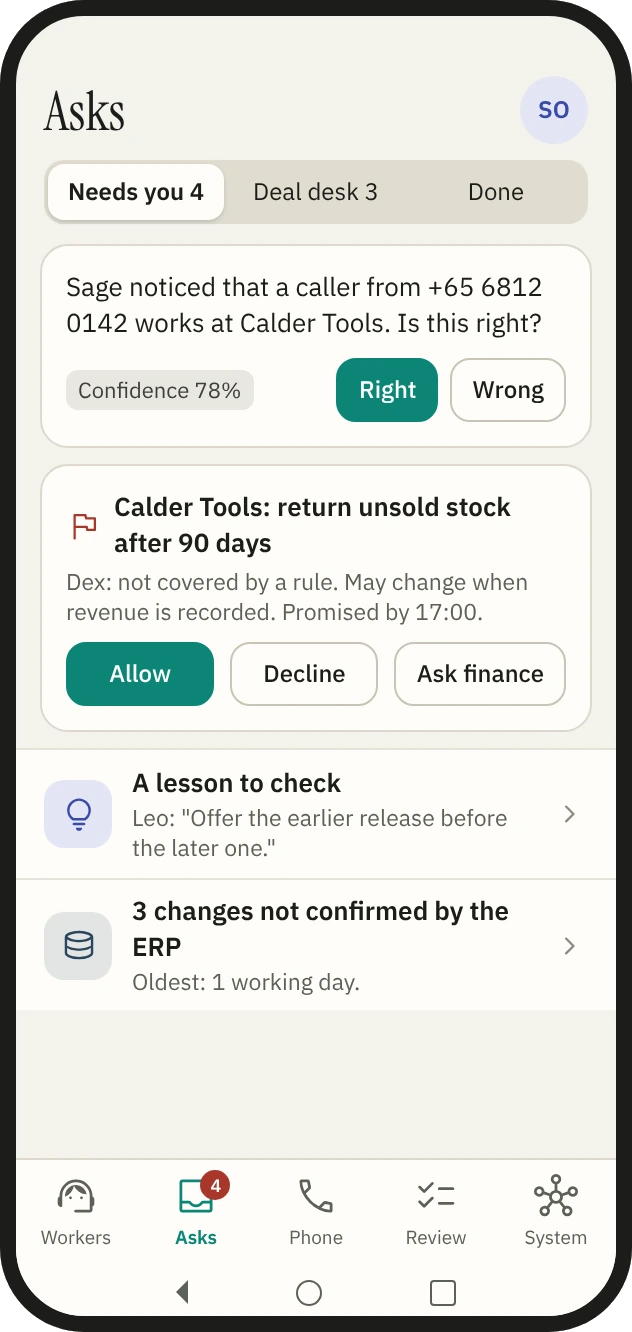
Asks.
Deal Desk flags and lessons to check sit in the same list.
Talk to the team.
Talk out loud with the coordinator, the data steward and Operations, and hear each answer in its own voice. Talking is the same thread as typing, with the same rights and the same record.
- Said and shown.A short answer out loud, with the record and the figures on the screen.
- Listen to the day ahead.Or to a briefing before a meeting.
- Speak to interrupt.The words show as they are heard and said.
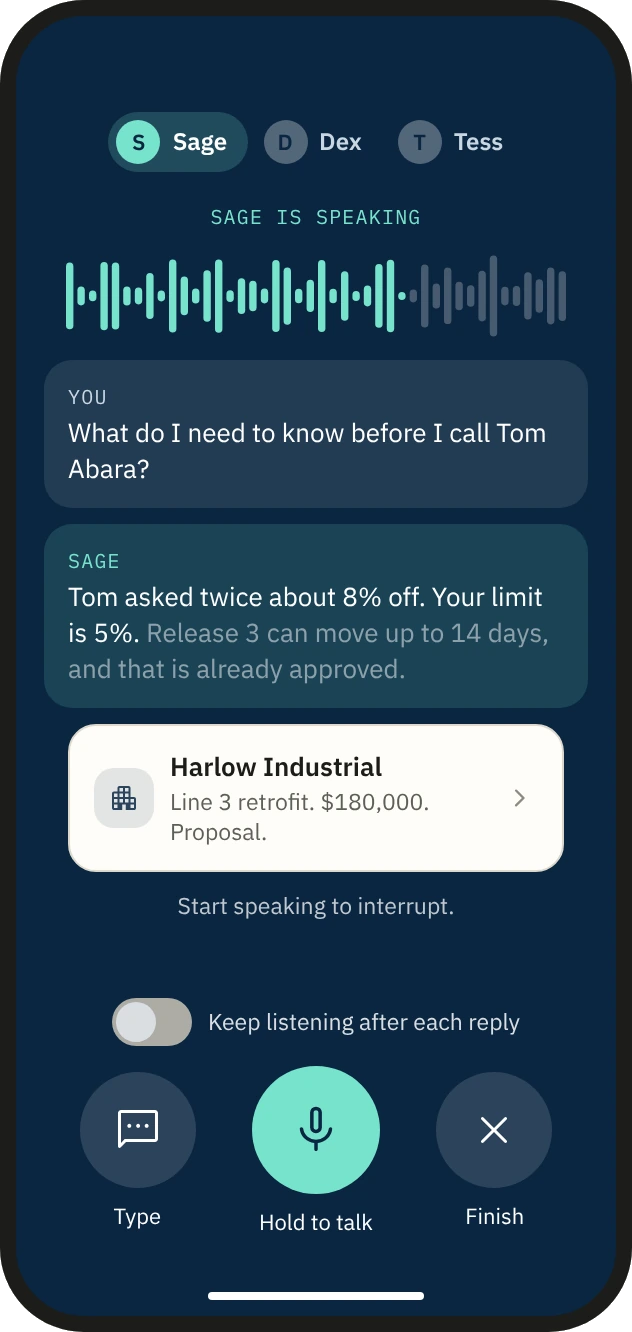
Hold to talk.
Ask before a call, and hear what matters first.
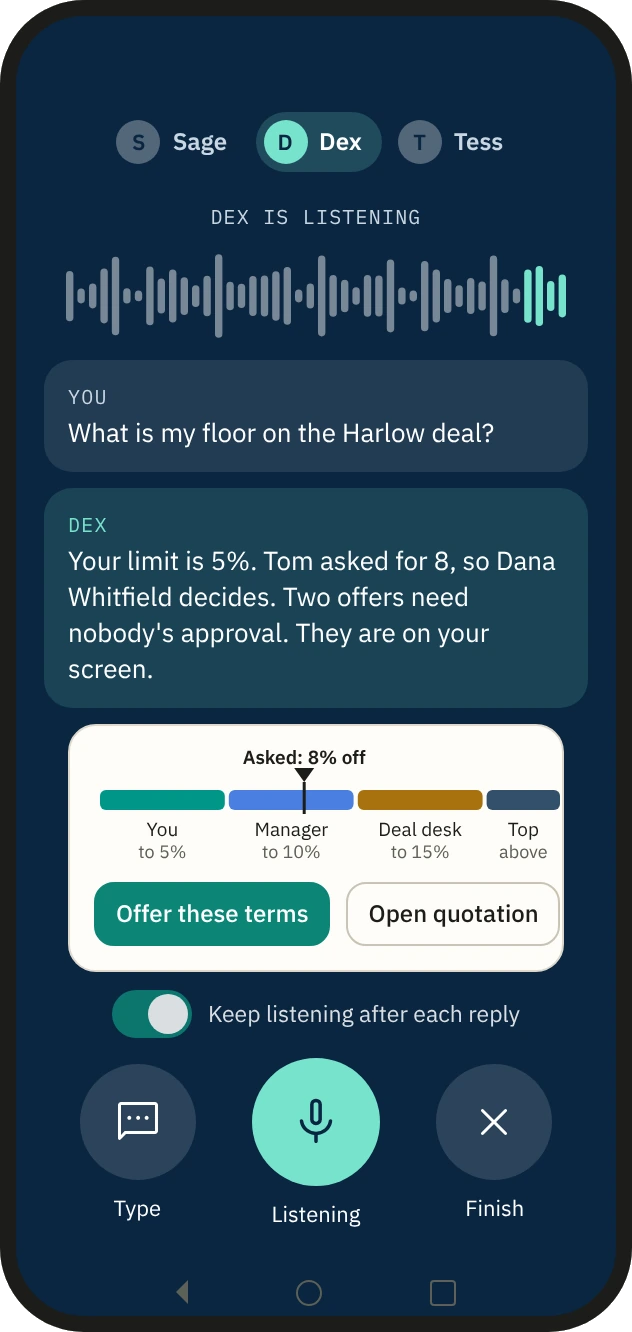
The answer, with its picture.
Two sentences out loud.
An app. Not a web page on a phone.
One bar with the title. Rows, sheets and one main action on each screen.